Power BI development from a UX design and front-end perspective
Power BI doesn't always have the visuals I need, so I build them myself. I make both SVG images and HTML visuals using HTML Content (lite). The starting point is always consistent UI where native and custom visuals fit naturally together. I keep the setup simple and my code clean.
This report showcases my custom visuals. I might add more later.
Visuals
Explore the visuals by opening your browser inspector to see the HTML and CSS, or download the .pbix file to see the full setup.
On non-touch devices visuals can be resized from the lower-right corner. Each visual adjusts to fit its container, just like in Power BI.
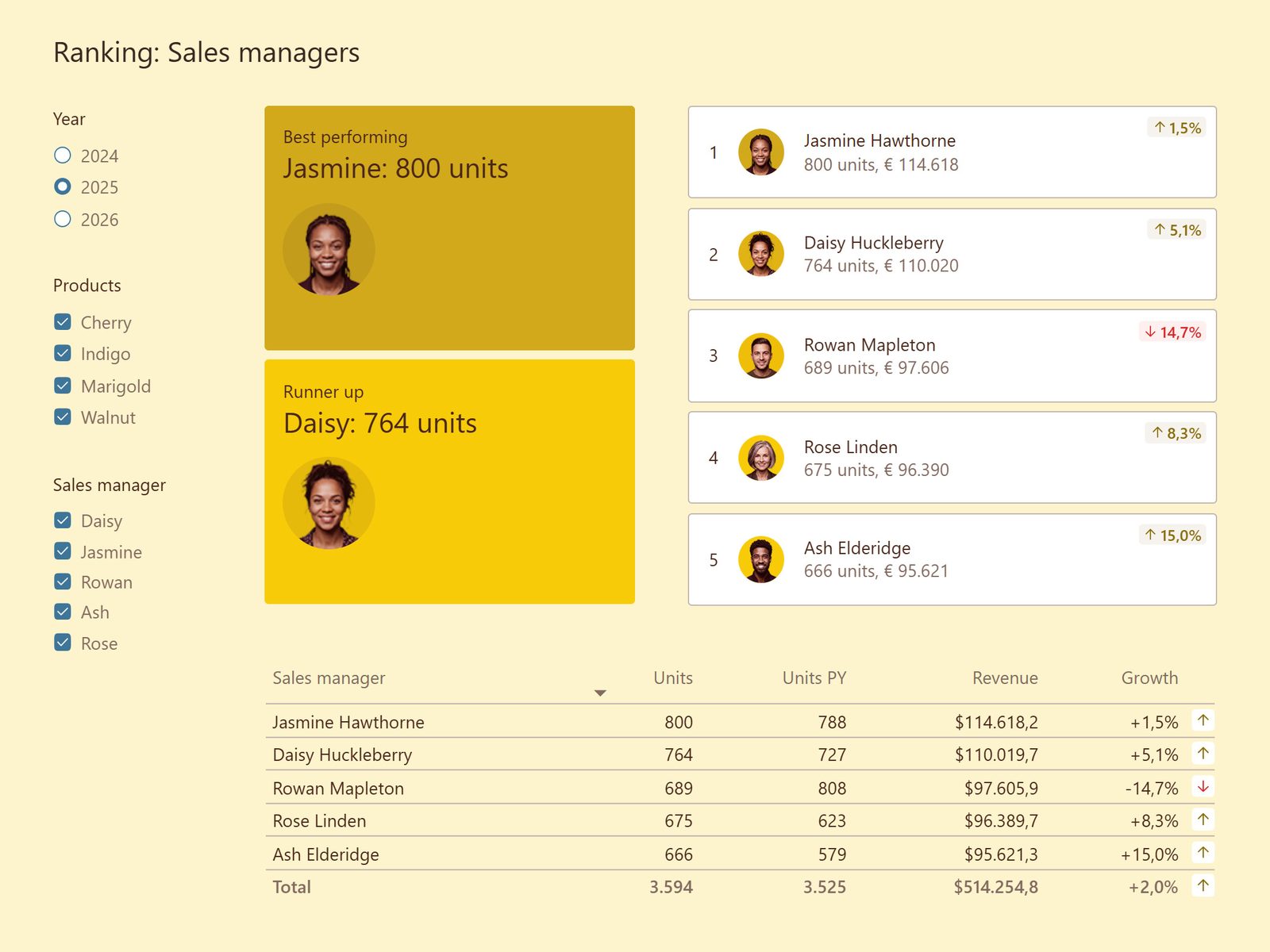
1

Jasmine Hawthorne
800 units, € 114.618
1,5%
2

Daisy Huckleberry
764 units, € 110.020
5,1%
3

Rowan Mapleton
689 units, € 97.606
14,7%
4

Rose Linden
675 units, € 96.390
8,3%
5

Ash Elderidge
666 units, € 95.621
15,0%
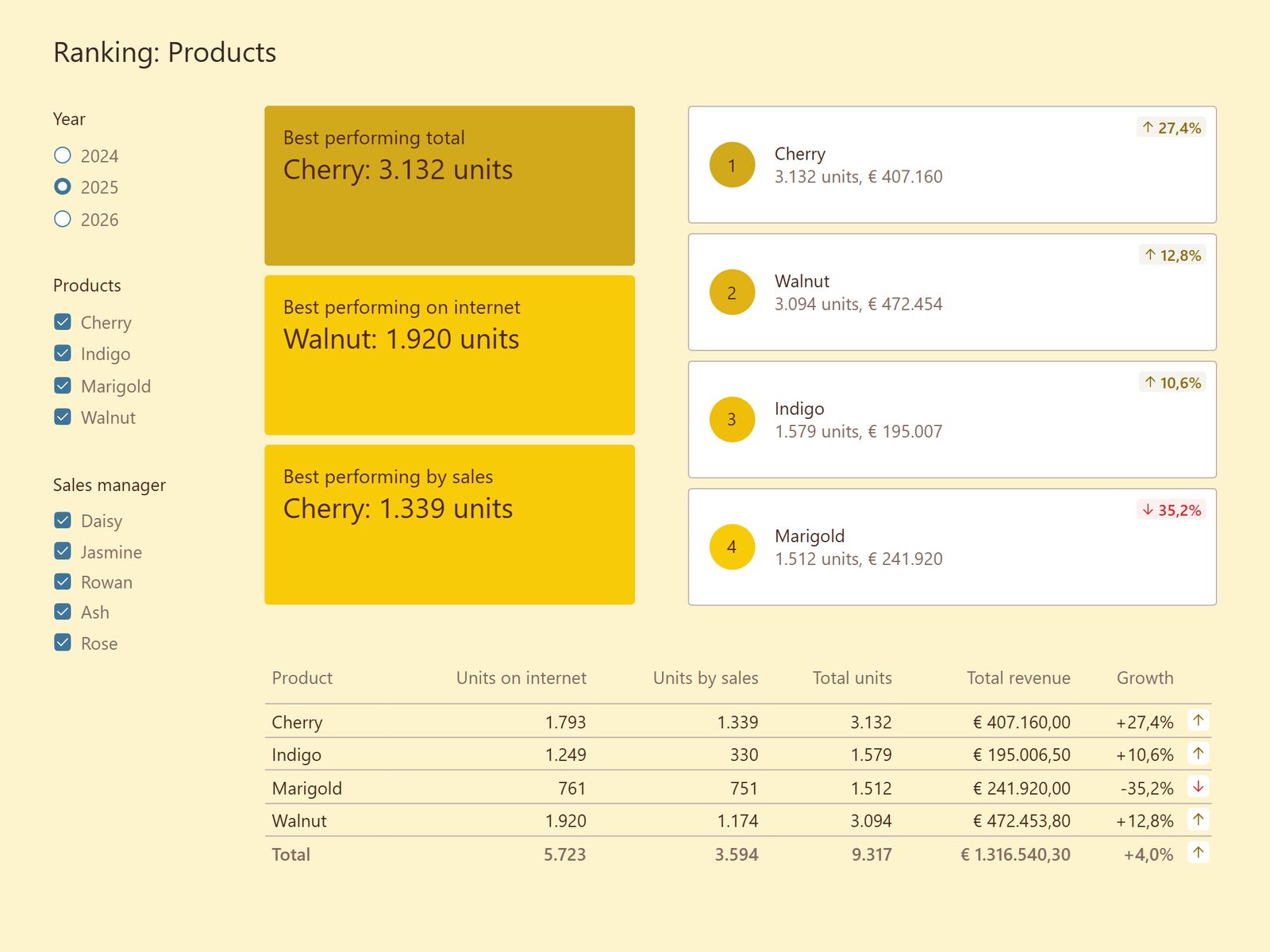
1
Cherry
3.132 units, € 407.160
27,4%
2
Walnut
3.094 units, € 472.454
12,8%
3
Indigo
1.579 units, € 195.007
10,6%
4
Marigold
1.512 units, € 241.920
35,2%
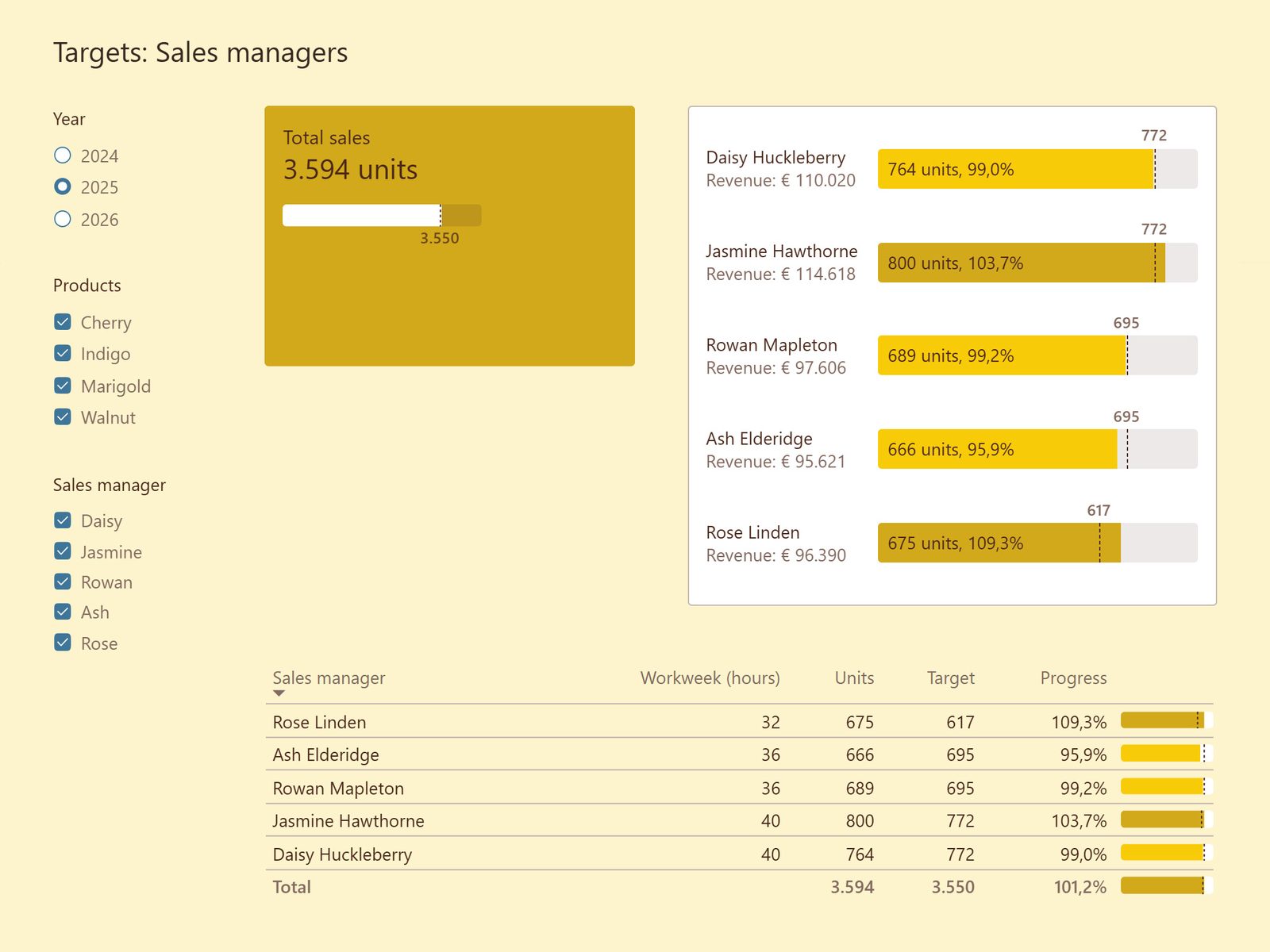
Daisy Huckleberry
Revenue: € 110.020
772
764 units, 99,0%
Jasmine Hawthorne
Revenue: € 114.618
772
800 units, 103,7%
Rowan Mapleton
Revenue: € 97.606
695
689 units, 99,2%
Ash Elderidge
Revenue: € 95.621
695
666 units, 95,9%
Rose Linden
Revenue: € 96.390
617
675 units, 109,3%
Report
The report shows how consistent styling makes native and custom visuals feel seamless together, through details like micro UX interactions, null states, and error handling.
Download the report and use the slicers to see the custom visuals and SVGs in action.